Biodiversity Hotspot Explorer
An interactive digital kiosk application developed for visitors at Pilikula Science Centre to navigate regional biodiversity hotspots through a tactile, multi-touch interface.
Overview
An interactive digital kiosk application developed during my internship at Pilikula Science Centre. The application helps visitors explore biodiversity hotspots through an intuitive touchscreen interface with images, species information, and location-based navigation.
The Problem
Visitors often struggle to find detailed information about biodiversity zones and species inside the science centre. Traditional information boards provide limited interaction and are difficult to update.
The Solution
Developed an interactive application that allows visitors to browse biodiversity hotspots, explore wildlife information, and navigate through multimedia content using a modern touchscreen interface.
My Role
Interactive Hotspot Navigation
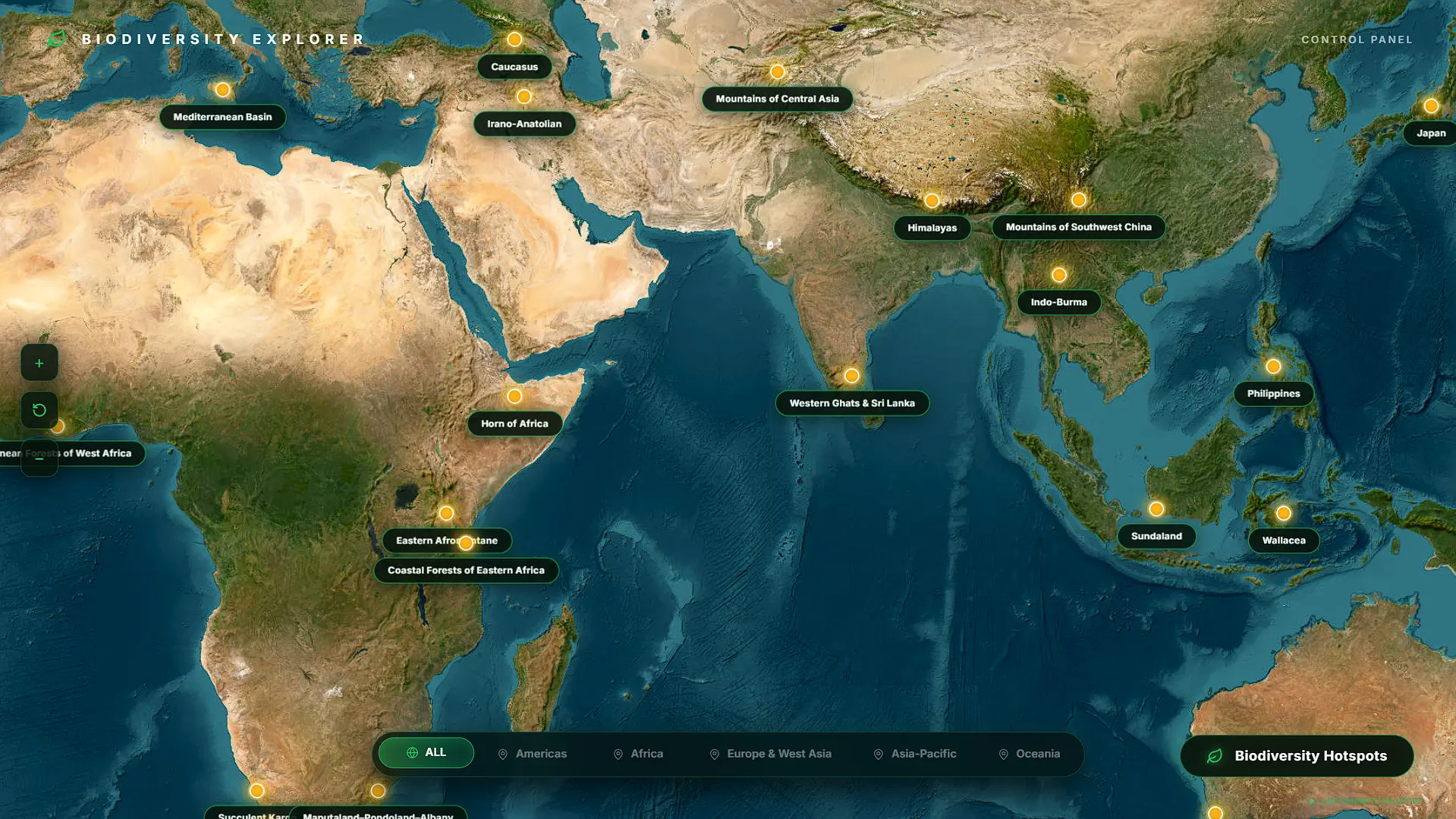
Visual map interface allowing visitors to explore regional zones, habitats, and ecological points of interest.
Dynamic Species Information
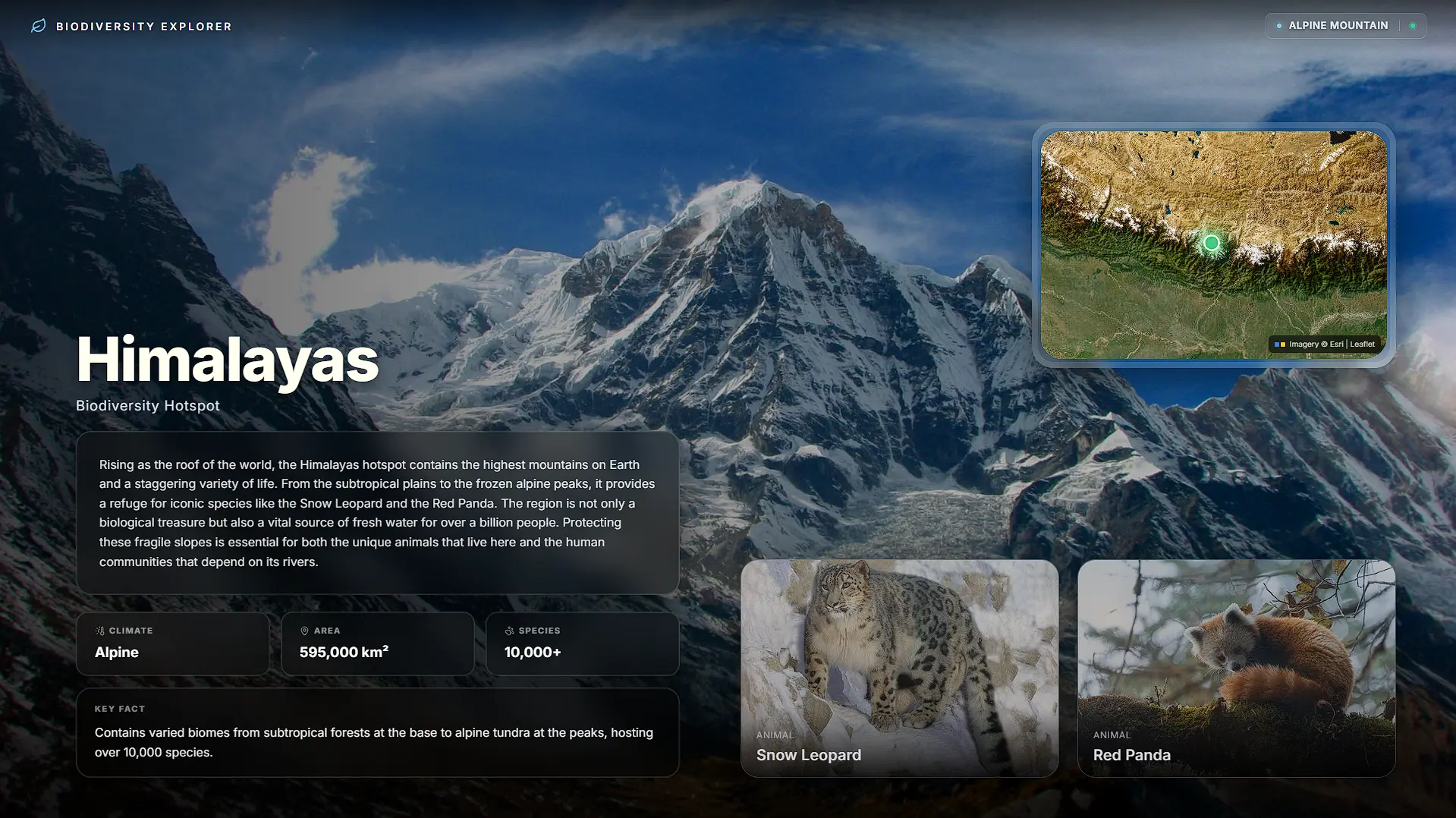
Instant profiles detailing scientific names, native ranges, conservation status, and behavioral traits.
Image Gallery
High-resolution multi-image exhibition gallery engineered with responsive multi-touch viewing.
Category Filtering
Rapid sorting mechanisms across flora, fauna, birds, mammals, amphibians, and medicinal plants.
Search Functionality
Tactile on-screen virtual keyboard with instant debounced lookup across local database records.
Offline Support
Full autonomous operation on internal kiosk network without dependence on external internet connectivity.
Responsive Touchscreen Interface
Optimized 54px touch targets and fluid spring physics tailored for public interactive hardware.
Fast Local Data Loading
Pre-cached imagery and compressed binary assets ensuring sub-50ms screen transitions.
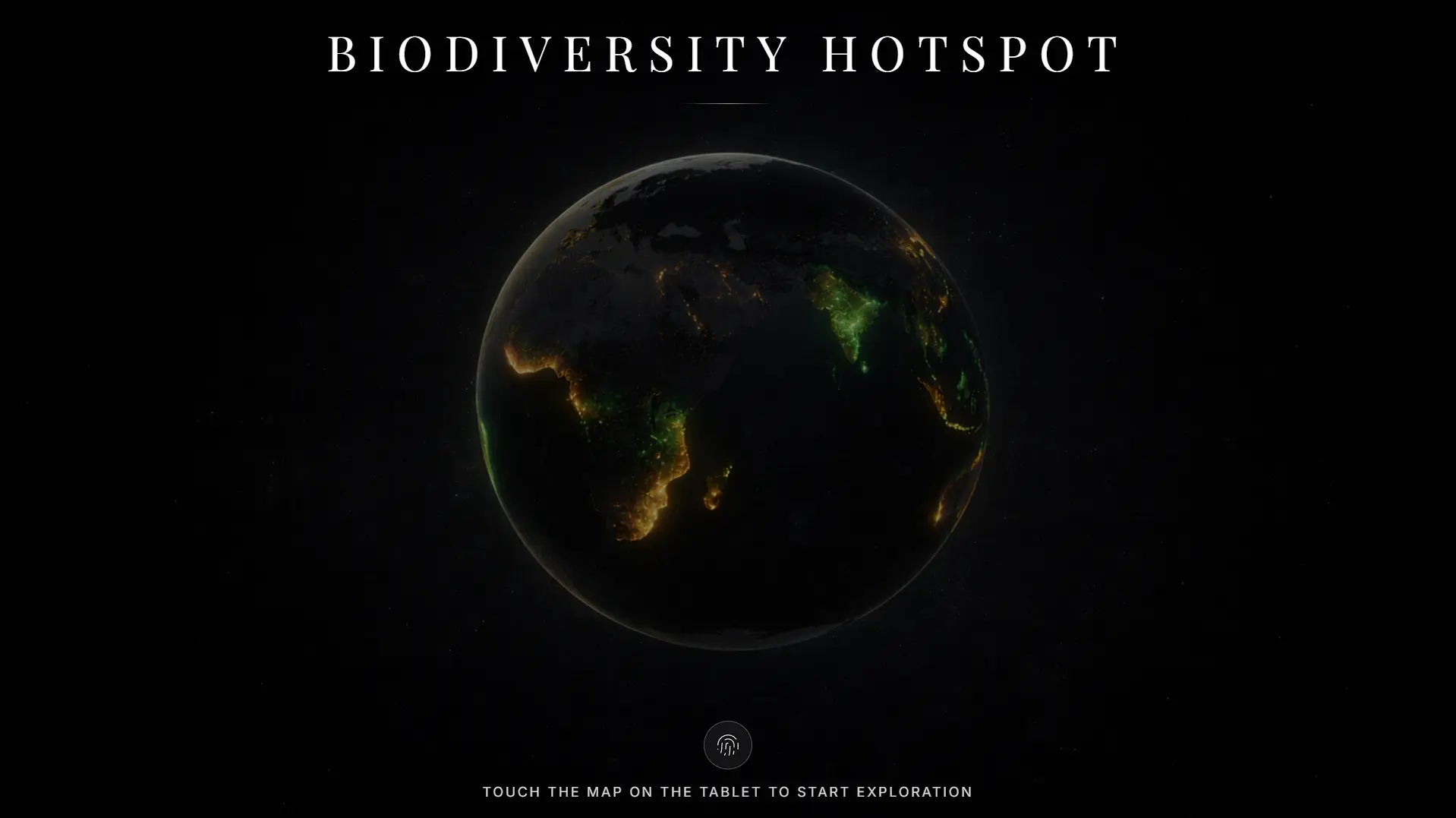
Home Dashboard
Touchscreen welcome portal with quick category launchpads and habitat navigation.
Interactive Biodiversity Map
Geospatial hotspot exploration with interactive zone selection and nature trail coordinates.
Species Information
Dynamic biological profiles with scientific classification, conservation index, and ecology facts.
Search Results
Real-time on-screen search indexing vernacular names and binomial nomenclature.
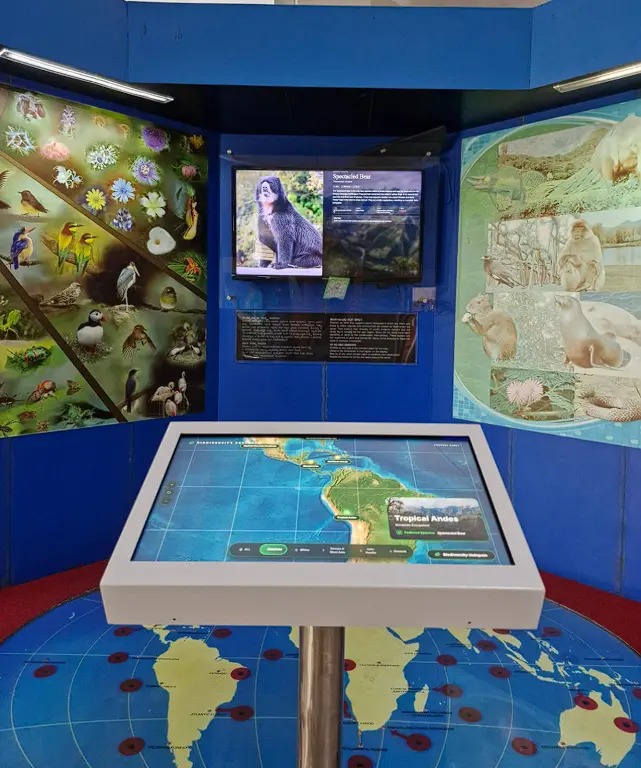
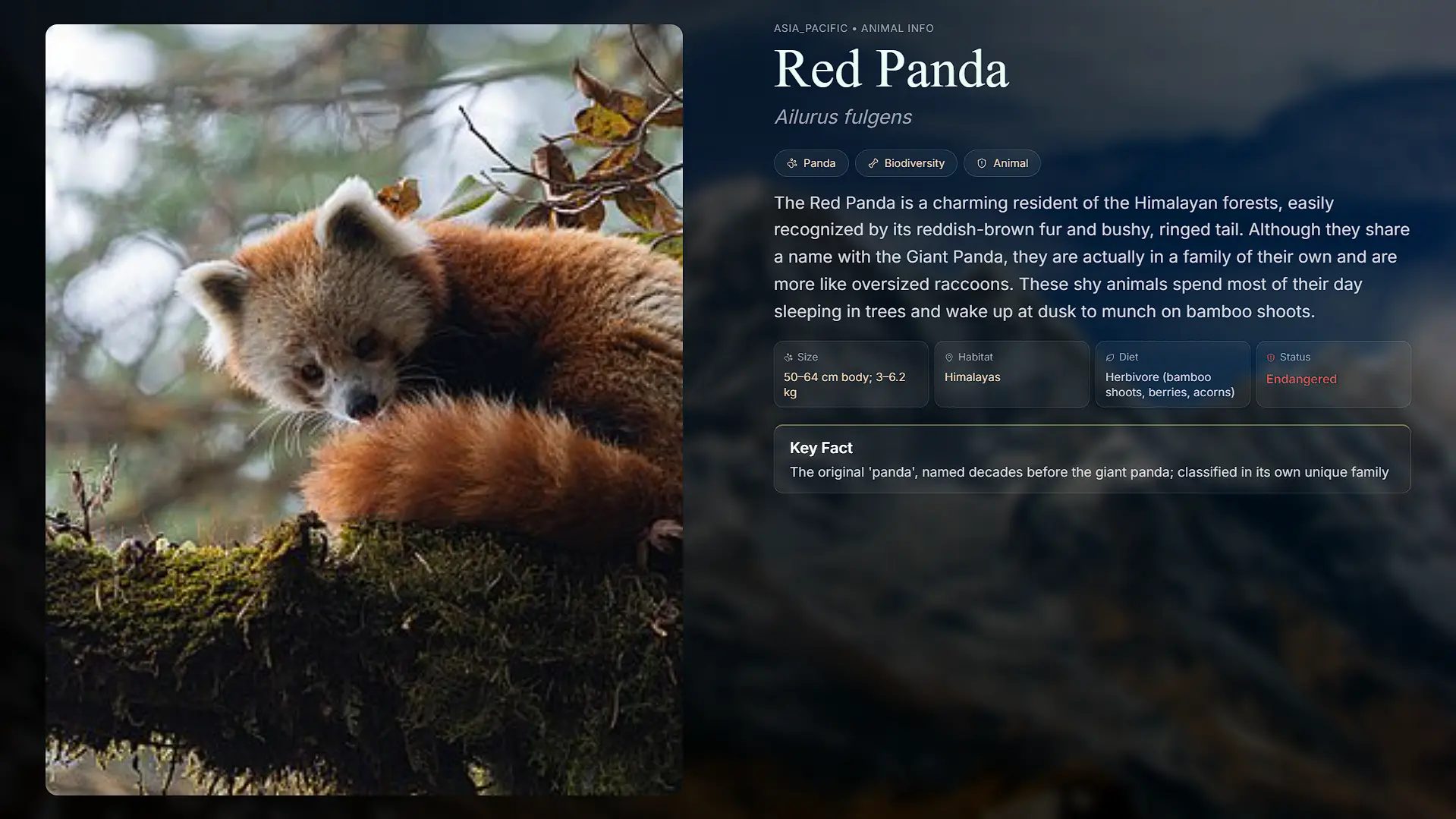
Animal Details
High-definition multimedia profile detailing behavioral habits and dietary specifics.
Search Filtering & Species Discovery
Testing dynamic query filtering, taxonomy matching, and offline content fetching.
Hardware Display & System Synchronization
Demonstration of smooth 60fps view transitions tested directly on kiosk display hardware.
Challenges
- Handling large image assets efficiently: Streamlined local caching and optimized asset compression pipelines to prevent kiosk memory bloat during continuous all-day operation.
- Maintaining smooth performance on kiosk hardware: Eliminated DOM re-render bottlenecks to guarantee fluid 60fps animations on embedded kiosk processors.
- Synchronizing multiple display screens: Implemented Socket.io heartbeat events to ensure multi-screen displays stayed synchronized without supervisor intervention.
- Designing an intuitive UI for visitors of all age groups: Tuned touch target sizes and ergonomic contrast levels so children, students, and senior citizens could navigate effortlessly.
What I Learned
- Production-Ready Architecture: Architecting reliable interactive kiosk applications from initial system concept to on-site hardware deployment.
- Real-Time Communication: Implementing event-driven bi-directional messaging and state coordination using Socket.io.
- Hardware Performance Optimization: Profiling memory footprints and optimizing multi-touch listeners for constrained hardware.
- Public UI/UX Design: Designing accessible public interfaces that demand zero onboarding for first-time visitors.
Impact
Replaced static informational boards with tactile, exploratory touchscreen engagement.
Comprehensive catalog of regional wildlife accessible on demand with rich multimedia.
Streamlined zone searches and trail wayfinding for science centre visitors and educators.
Higher engagement and deeper retention observed across visiting school and college cohorts.
Note: This project was developed as part of my internship at Pilikula Science Centre. Due to deployment and ownership restrictions, the live application is not publicly accessible. The screenshots shown here are from the working version developed during the internship.